
How to Claim Your Business on ChatGPT: A Complete Guide to OpenAI Business Hub
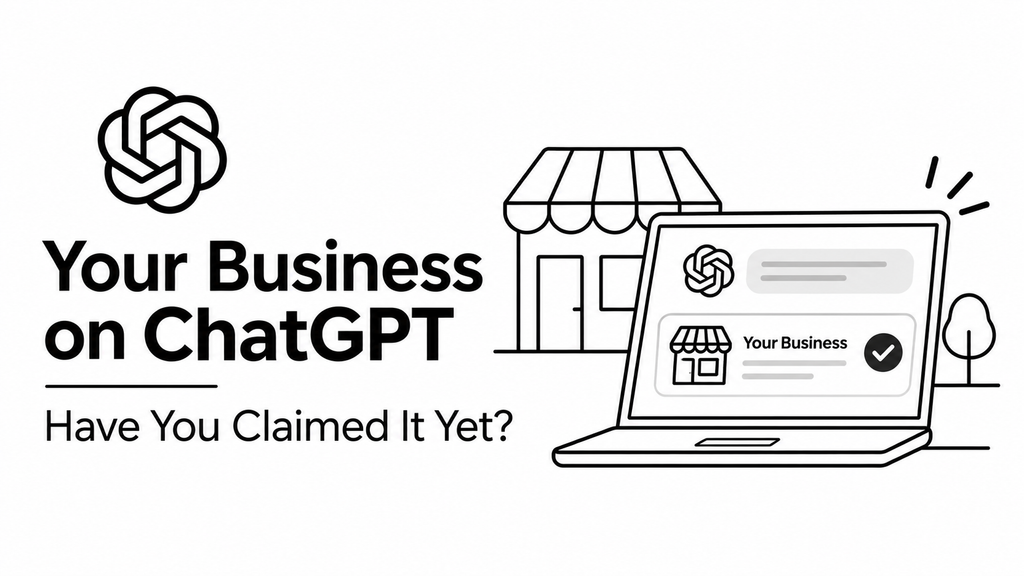
OpenAI has introduced a new way for businesses to manage their presence on ChatGPT. Here’s what Business Hub does, how it compares with Google Business Profile, who can use it, and how to claim your business.
For years, businesses have focused on improving their visibility on Google. They invest in websites, SEO, business listings and online reviews to make sure potential customers can find them.
But the way people search for information is changing.
Instead of searching Google for “best digital marketing agency for small businesses”, someone might now ask ChatGPT:
- Which digital marketing agencies work with small businesses?
- Recommend a reliable WordPress development company.
- What are the best AI automation companies for digital agencies?
- Compare these three SaaS platforms before I make a decision.
People are increasingly using AI tools to research companies, compare services and make purchasing decisions.
Recognising this shift, OpenAI introduced Businesses in ChatGPT in November 2026, along with a platform called Business Hub.
This gives eligible businesses a way to claim their business profile, manage important information and understand how people discover them through ChatGPT.
In this guide, we’ll explain everything business owners need to know, without getting into unnecessary technical details.
What Is ChatGPT Business Hub?
Business Hub is OpenAI’s platform that allows businesses to manage their presence within ChatGPT.
Think of it as a business profile management tool, similar in concept to Google Business Profile, but designed for the ChatGPT ecosystem.
Businesses can claim their existing listing or create an eligible business profile, verify their ownership and manage information such as:
- Official business name
- Website address
- Business description
- Product or service category
- Company logo and cover image
- Product information
- Delivery and return policies, where applicable
Once the business is claimed and the required identity verification is approved, businesses can also access performance insights.
These insights help businesses understand how often they are mentioned in ChatGPT responses, how many people visit their website through ChatGPT and which topics are associated with their visibility.
For eligible e-commerce and online service businesses, OpenAI also offers another feature called Business Agents. We’ll cover this later.
Important: Business Hub is different from ChatGPT Business, which is OpenAI’s paid workspace subscription for teams. Business Hub is specifically designed to manage a business’s presence within ChatGPT.
How Is ChatGPT Business Hub Different From Google Business Profile?
Most business owners are already familiar with Google Business Profile.
It allows businesses to manage their information on Google Search and Google Maps. Customers can find business addresses, opening hours, phone numbers, photos and reviews.
Business Hub serves a different purpose.
It allows eligible businesses to manage information that helps ChatGPT understand their business and provides insights into how they appear in AI-powered discovery.
Here’s how the two platforms compare.
| Feature | Google Business Profile | ChatGPT Business Hub |
|---|---|---|
| Main platform | Google Search and Maps | ChatGPT |
| Business information | Yes | Yes |
| Website details | Yes | Yes |
| Business description | Yes | Yes |
| Customer reviews | Yes | Not a review management platform |
| Product information | Supported features | Product feeds |
| Performance insights | Search and Maps performance | Mentions, website clicks and discovery topics |
| Main discovery channel | Search queries and Maps | AI-powered conversations |
| Online-only businesses | Generally not eligible | Eligible businesses can claim profiles |
The biggest difference is the type of business each platform serves.
Google Business Profile is primarily designed for businesses that interact with customers in person, such as restaurants, retail stores, clinics and service providers operating in specific areas.
A completely online business, such as a SaaS company or a digital agency without an eligible customer-facing location, generally cannot create a Google Business Profile.
ChatGPT Business Hub has broader eligibility for online businesses.
For example, a digital agency operating remotely from Ahmedabad and serving clients in the US, UK and Australia can explore claiming its business on ChatGPT, even if it doesn’t have a customer-facing office.
This makes Business Hub particularly interesting for SaaS companies, consultants, digital agencies and online service providers.
The two platforms are not competitors in the traditional sense. Businesses should consider managing their presence on both.
Want this built under your brand?
Book a partner callWhy Should You Claim Your Business on ChatGPT?
Claiming your business is not just about having another online profile.
It is about managing the information that AI tools can use when people research your company.
Here are five reasons worth considering.
1. Manage Your Business Information
ChatGPT uses information from different sources when answering questions about companies, products and services.
Some information may be outdated, incomplete or inconsistent.
By claiming your business, you get an opportunity to provide accurate information directly through Business Hub.
You can update your website, business description, categories, logo and other supported details.
This gives you more control over the information you provide about your business.
2. Improve Your Readiness for AI-Powered Discovery
Imagine someone asking ChatGPT:
“Recommend a reliable AI automation agency that works with digital marketing agencies.”
Wouldn’t you want your business to be properly represented when ChatGPT researches relevant companies?
As more customers use AI tools to discover products and services, businesses need to think beyond traditional search engine visibility.
Claiming your business is a practical first step towards managing your presence in this new discovery channel.
However, claiming a profile does not guarantee better rankings or more recommendations. It gives you control over your business information, not control over ChatGPT’s independent answers.
3. Understand How People Discover Your Business
One of the useful features of Business Hub is its Insights section.
Verified businesses can access aggregated information about their visibility on ChatGPT.
This includes:
- Mentions: How often ChatGPT references your business website or displays your local business listing.
- Website clicks: How often people click through from ChatGPT to your website.
- Discovery topics: Common subjects associated with ChatGPT responses that mention or cite your business.
These insights can help marketing teams understand where their business is gaining visibility and identify opportunities to improve their online presence.
The reporting covers aggregate activity over the previous 28 days. It does not provide individual customer conversations or the exact questions people have asked.
4. Share Accurate Product Information
If you operate an e-commerce business, Business Hub provides the option to connect product feeds.
A product feed is simply a file containing information about the products you sell.
It can include:
- Product names
- Product descriptions
- Prices
- Product images
- Availability
- Product website links
Businesses can upload a supported CSV file or provide a hosted product feed.
Shopify merchants can also connect their existing store.
This helps ChatGPT access more accurate product information when people explore products and compare available options.
5. Explore Business Agents
This is one of the more interesting features introduced alongside Business Hub.
A Business Agent is a virtual business representative that customers can interact with directly inside ChatGPT.
For example, imagine an online store selling electronic products.
A customer might ask:
“Which laptop would be suitable for video editing under $1,500?”
The Business Agent can use the product information provided by the business to explain available options, compare specifications and answer questions.
Similarly, a software company could use its Business Agent to explain product features, pricing plans and common customer questions.
Customers can then visit the business website to complete their purchase or take the next step.
Business Agents are optional and have separate eligibility requirements. They do not automatically handle purchases, bookings or order management.
Who Can Claim a Business on ChatGPT?
Business Hub is currently in beta, and availability depends on business type, location and verification requirements.
According to OpenAI’s November 19, 2026 update, eligible e-commerce and online service businesses outside the United States can now claim their business and publish Business Agents.
Examples of businesses that may benefit include:
- Digital marketing agencies
- Web development companies
- SaaS businesses
- E-commerce stores
- Online consulting companies
- Software and technology service providers
- Other eligible online service businesses
There is an important distinction for physical local businesses.
Restaurants, retail stores and other local businesses in India currently have more limited availability. OpenAI’s current guidance allows local businesses to claim existing US listings.
Eligibility also depends on the applicable industry policies and available verification methods.
How to Claim Your Business on ChatGPT: Step-by-Step Guide
The process is relatively straightforward, provided you have access to your business information and the required verification details.
Here’s how to get started.
Step 1: Visit ChatGPT Business Hub
Go to:
Sign in using your ChatGPT account.
You should be able to access the Business Hub interface and begin searching for your business.
Step 2: Search for Your Business
Search for your business using its official name.
If ChatGPT already has a listing for your company, select the matching business profile.
If your business is not listed, eligible online businesses may have the option to add a new profile.
Make sure you select the correct business before proceeding.
Step 3: Verify Your Business Ownership
OpenAI provides different verification methods depending on your business and the information available.
These may include:
Business phone verification
Receive a verification code through SMS or an automated phone call using the business phone number shown.
Business email verification
Receive a verification code at the email address associated with your business.
Website domain verification
Add a DNS TXT record to your website domain settings.
A DNS record is a small technical entry that proves you control the website domain. If your website is managed by a developer or hosting provider, they can help you complete this step.
Shopify verification
If you operate a Shopify store, you may be able to connect your existing store to simplify the verification process.
Not every verification method is available for every business.
Step 4: Complete Identity Verification
Verifying that you control a business website or phone number is not the same as proving that you are authorised to represent the business.
OpenAI uses Persona for an additional identity verification process.
Depending on your business, you may need:
- Government-issued identity proof.
- Official business registration information.
- Registered business name.
- Business address.
- Business registration or tax identification details, where requested.
- Proof that you are authorised to represent the company.
For Indian businesses, keep relevant business registration and tax documents available if requested.
Make sure the information matches your official business records.
Once the claim and identity verification are approved, you can access the available business management features.
Step 5: Complete Your Business Profile
After verification, you can update your business information.
Prepare the following details:
| Information | What to provide |
|---|---|
| Business name | Official registered or trading name |
| Website | Your primary business website |
| Business description | A clear explanation of what your company does |
| Category | Relevant business or service category |
| Logo | High-quality company logo |
| Cover image | Suitable business cover image |
| Product information | Product details, where applicable |
| Policies | Delivery and return policies, where applicable |
Keep your descriptions clear and accurate.
Avoid vague statements such as “We provide world-class solutions.”
Instead, explain exactly what your company offers, who it serves and what problems it solves.
Step 6: Connect Your Product Feed (If Applicable)
If you sell products online, you can connect your product catalogue.
You can upload a supported CSV file or provide a hosted product feed.
Shopify merchants can connect their existing product catalogue.
This step is optional and mainly relevant to e-commerce businesses.
Step 7: Review and Monitor Your Business Profile
OpenAI reviews submitted information and changes before publishing them.
Once approved, visit the Insights section to monitor your business performance.
Pay attention to mentions, website clicks and discovery topics.
Remember that changes may take time to appear in business listings and ChatGPT responses.
Is ChatGPT Business Hub Available for Businesses in India?
Yes, eligible Indian businesses can now explore Business Hub.
OpenAI’s November 19 update expanded access to e-commerce and online service businesses outside the United States.
This means eligible Indian businesses can claim their profiles and publish Business Agents, subject to the applicable requirements.
For example:
- An Indian SaaS company selling subscriptions internationally can explore claiming its business.
- A digital agency serving clients in the US can explore claiming its business.
- An Indian e-commerce store can explore connecting its product information.
- A local restaurant in Ahmedabad cannot currently assume it can create a new local business listing through Business Hub.
The important point is to check your business eligibility before starting the application.
Does Claiming Your Business Guarantee Better Rankings on ChatGPT?
No.
This is perhaps the most important thing business owners should understand.
Claiming your business does not automatically make ChatGPT recommend your company more frequently.
It does not guarantee:
- Higher visibility in ChatGPT responses.
- More website traffic.
- More customer enquiries.
- Better search rankings.
- Increased sales.
ChatGPT continues to generate independent answers based on the information available to it.
Your website quality, business reputation, content, products, services and information across the web remain important.
Think of Business Hub as another channel for managing your business information, rather than a shortcut to AI rankings.
What Should Businesses Do to Prepare for AI-Powered Discovery?
Claiming your business is a good starting point, but it should be part of a broader online visibility strategy.
Here are some practical steps businesses can take.
1. Build a clear business website
Make sure visitors and AI systems can understand what your business does, what services you offer and who your ideal customers are.
2. Keep business information consistent
Your company name, website, services, contact details and business descriptions should be consistent across relevant online platforms.
3. Publish useful and informative content
Create articles, guides and resources that answer the questions your potential customers are actually asking.
4. Demonstrate expertise
Publish case studies, customer success stories, detailed service pages and useful industry insights.
5. Continue investing in SEO
Traditional SEO is not going away. A well-structured website, useful content, technical accessibility and a strong online reputation continue to matter.
6. Start monitoring AI visibility
Explore how your business appears across AI-powered platforms and monitor changes over time.
This is where traditional SEO and newer approaches such as Answer Engine Optimization (AEO) and Generative Engine Optimization (GEO) become relevant.
Final Thoughts: Your Business Needs to Be Ready for the Next Generation of Search
The way people discover businesses is evolving.
Google Search remains important, but customers are increasingly using AI tools to research companies, compare products and explore services.
OpenAI’s Business Hub is another step in that direction.
For business owners, the opportunity is straightforward: understand how this new platform works, claim your business if eligible, keep your information accurate and start paying attention to how people discover you through AI.
You don’t need to change your entire marketing strategy overnight.
But ignoring the shift in how customers discover businesses could mean missing an important opportunity.
The question is no longer just whether your business can be found on Google. It’s also whether your business is ready to be discovered through AI.
Frequently Asked Questions
1. Is ChatGPT Business Hub free?
Claiming your eligible business through Business Hub does not require a ChatGPT Enterprise subscription or an advertising account. Some separate features and services may have their own requirements.
2. Is ChatGPT Business Hub the same as ChatGPT Business?
No. ChatGPT Business is OpenAI’s paid workspace subscription for teams. Business Hub is a platform for claiming and managing business profiles within ChatGPT.
3. Can an Indian digital agency claim its business on ChatGPT?
Eligible online service businesses in India can now claim their business, subject to OpenAI’s verification and industry requirements.
4. Do I need a website to claim my business?
A website is an important part of the business profile and is required for Business Agents. The available claim and verification options depend on the business listing and eligibility.
5. Does claiming my business improve my ChatGPT rankings?
No. Claiming your business does not guarantee better visibility or recommendations. It allows you to manage your business information and access available insights.
6. Can I connect my Shopify store to ChatGPT?
Yes. Eligible Shopify merchants can connect their existing store to Business Hub and use their product catalogue to share product information.
7. Can ChatGPT Business Hub show how many people visit my website?
Yes. The Insights section provides aggregate website click information, along with business mentions and discovery topics.
8. Can I use ChatGPT Business Hub for my local business in India?
Local physical businesses currently have more limited availability. OpenAI’s current guidance allows local businesses to claim existing US listings, while eligible online service and e-commerce businesses outside the US can claim their profiles.
Official Resources
- Introducing Businesses in ChatGPT – OpenAI
- Business Hub – Claim Your Business
- OpenAI Help Center – Setting Up Your Business on ChatGPT
- Google Business Profile
Information in this article is based on OpenAI’s announcements and documentation available as of November 24, 2026. Business Hub is in beta, so features, eligibility and verification requirements may change.
Sources cited in this article
- Introducing Businesses in ChatGPT – OpenAI openai.com
- Business Hub – Claim Your Business chatgpt.com
- OpenAI Help Center – Setting Up Your Business on ChatGPT help.openai.com
- Google Business Profile google.com
Darshan D. (2026). How to Claim Your Business on ChatGPT: A Complete Guide to OpenAI Business Hub. Whitelabel AI. https://whitelabelai.agency/claim-business-on-chatgpt/